Character Sheet
Design the Layout of your Player's Character Sheet in the mobile app.
Rollplay uses a What-You-See-Is-What-You-Get visual approach, using Drag&Drop to add Elements to Pages, and then configuring them.
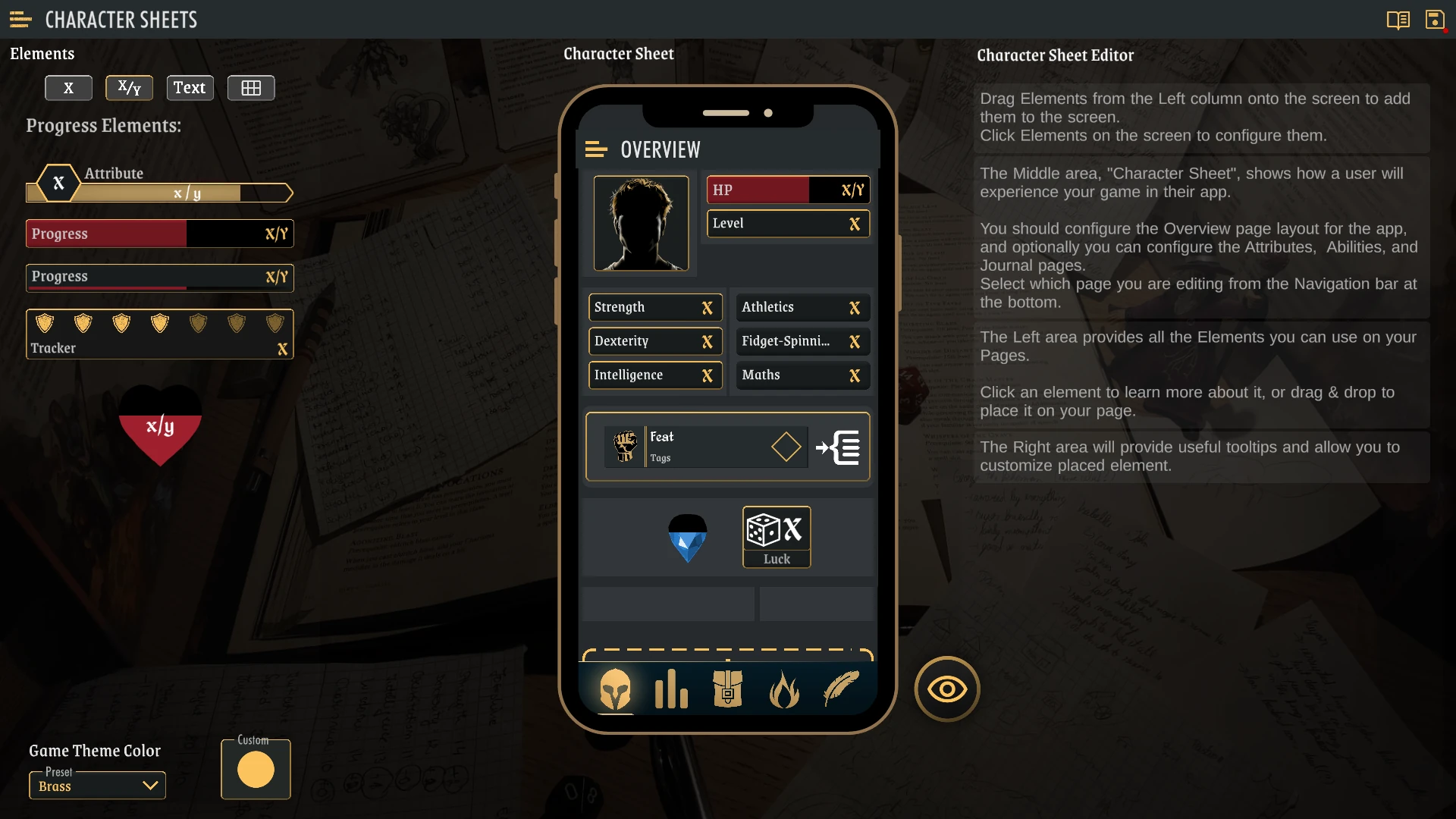
Pages
At this time, Rollplay provides a fixed set of Pages for the Creator to customize: - Overview: mandatory, the default page when loading a character - Attributes: intended for attributes the player may not need on the Overview page - Equipment: always includes a built-in Equipment Grid, and extra elements can be added - Abilities: intended for displaying Spells or other abilities and their associated attributes - Journal: intended for notes, quests and more flavour-oriented data
Future plans include adding an Actions page, and the option of adding more custom pages.
Sections
Within a page, the layout is broken down into Sections. A Section is used to keep a group of elements together, making it easy to move them around as a group.
Sections also dictate how elements are displayed: - Vertical - Horizontal - Columns (with 3 different ratio options)
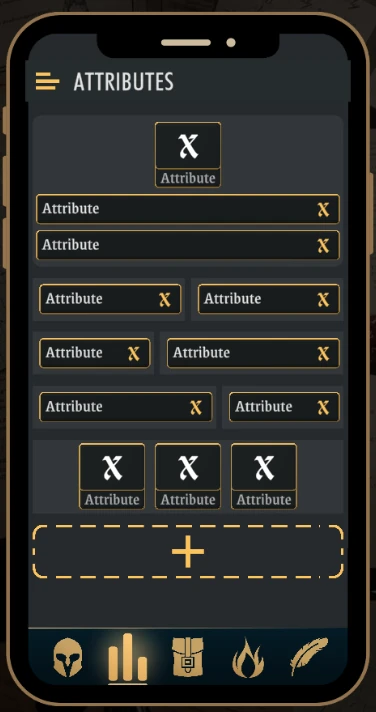
You can add new Sections at the end of the Page, and click a section to Edit it (move up, down, or delete)
Elements
There are lots of different visual Elements you can place on the Page, grouped by type.
Drag and drop an element to place it on the page, then click it to configure it.
Elements that are not configured or configured incorrectly will yield errors and prevent you from saving your changes.
Learn how to customize the following Elements: