Effects
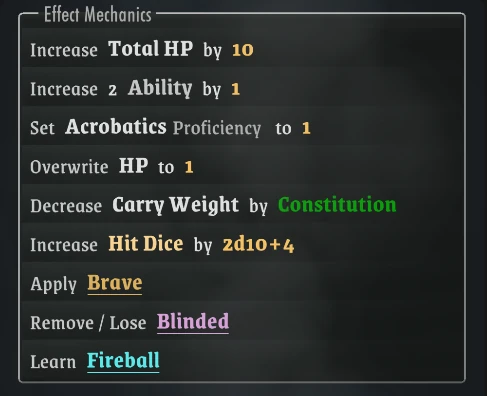
Effects are automated actions that modify your character: bonuses, attribute changes, granted feats, learned spells.
They are fully reversible. Remove whatever applied one and it unwinds cleanly, however deeply nested.
Examples:
Usage
An effect fires on its own when its source arrives — a Race or Class applied, an item equipped — and reverts when that source goes away.
Attribute changes are tracked as Bonus Value, so the Player can see where each one came from.
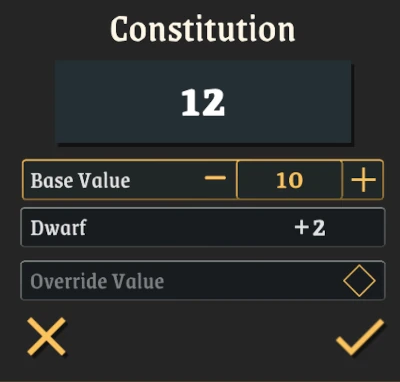
Spells and Consumables are the exception: their effects are one-way, and change the Base Value instead.
Structure
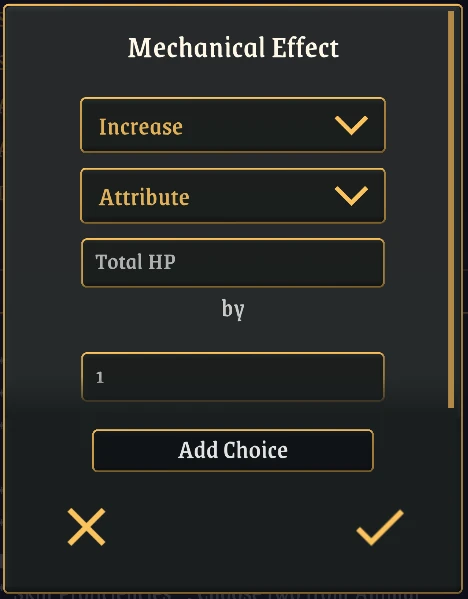
All Effects follow a similar structure:
-> Action (Set / Increase / Decrease / Override / Apply / Remove)
-> Target (Attribute / Dice Pool / Feat / Condition / Spell / Class / Item)
-> Amount (optional: how much the effect does)
Action
- Set: Sets an attribute's Base Value or Input to a given Amount
- Increase / Decrease: Modifies an attribute's Bonus Value by a relative amount
- Override: Replaces the final value of an attribute, ignoring all other components
- Apply / Remove: Grants or takes away a Feat, Condition, Class, Spell, or Item
- Pick a Variant: Lets the Player choose a Variant (e.g. subclass)
Target
What the effect acts on. You pick the type first, then name the specific target.
- Attribute: Any numeric attribute
- Attribute Input: Allows you to modify the Input of a numeric attribute
- Attribute Group: Allows you to modify one or more attributes from within a given group
- Dice Pool: Any Dice Pool
- Feat
- Condition
- Spell
- Class
- Item: A Weapon, Armor, Consumable, or Misc entry
Amount
How much the effect does — an integer for Attributes, a Dice Pool for Dice Pools.
Type a value directly, as inIncrease STR by 2, or use a Formula to compute one.
A dice Amount behaves differently depending on what it lands on. On a numeric attribute the Player rolls it when the effect is applied, and the result is what gets added. On a Dice Pool there is no roll, and the dice are added to or removed from the pool itself.
Player Choices
An Effect doesn't have to be fully decided when you write it. The Action is always fixed, but what it acts on and how much it does can both be left to the Player:
- Choice of Target — what the effect acts on:
Increase Strength OR Dexterity by 1- Choice of Amount — how much it does:
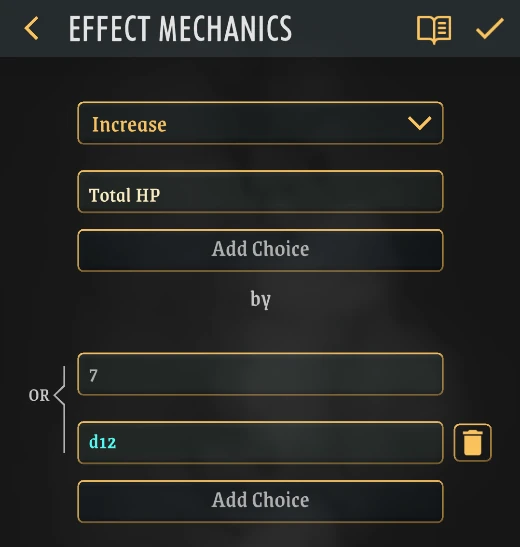
Increase HP by 5 OR 1d8- Both at once:
Increase Strength OR Dexterity by 5 OR 1d8
Add the alternatives you want to offer, and the Player is prompted to pick when the effect is applied.
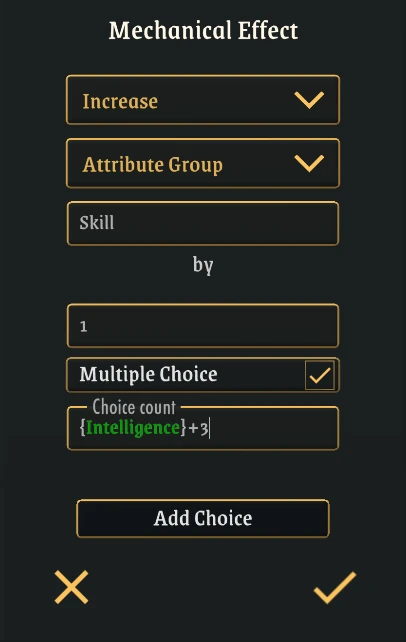
Choice of Target:
Choice of Amount:
You can also give the Player more than one pick, and the number of picks can itself be a Formula, so a Feat might grant {Intelligence} + 3 skill increases.
What the Player sees:
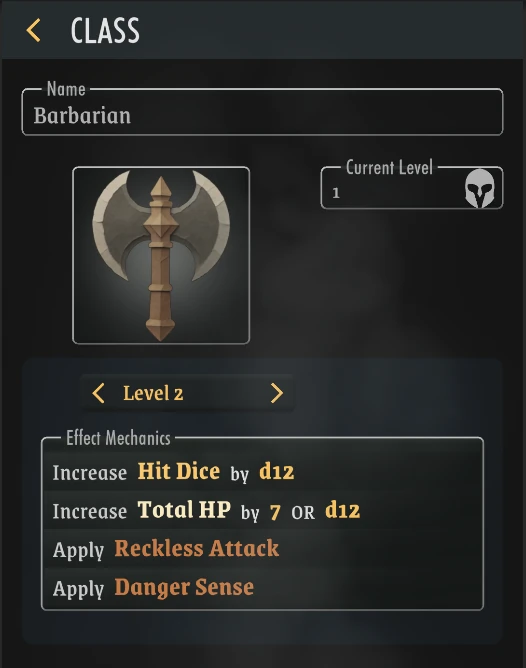
The Class offers both options
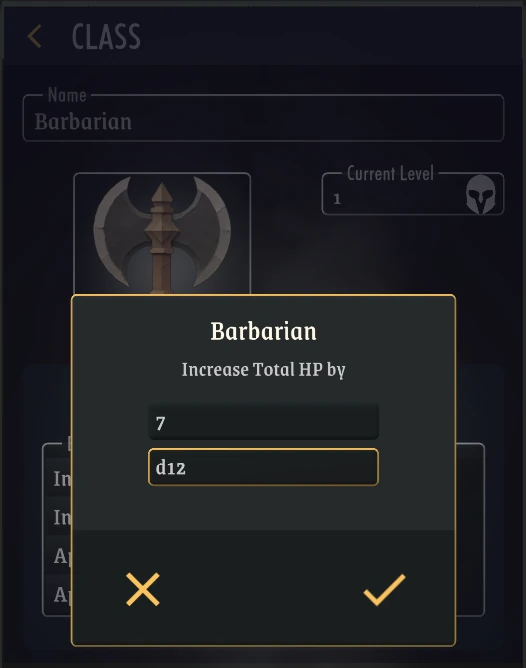
The Player picks one
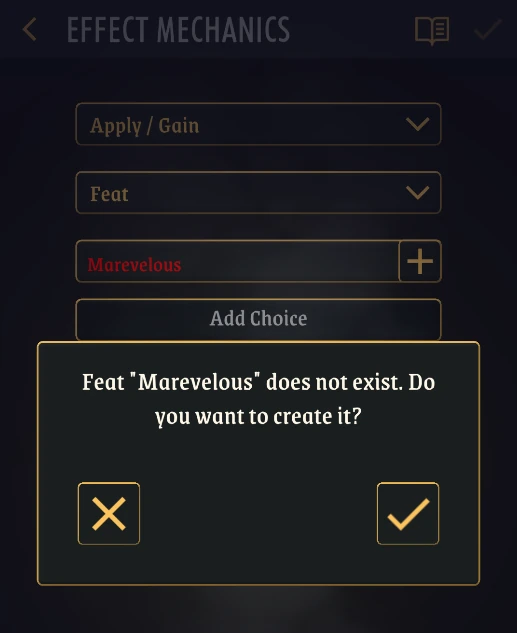
Creating Content on the Spot
Granting content that doesn't exist yet? Type the name into the Target field and create it on the spot, without leaving the editor.
What you get is a placeholder: an empty entry with the name you gave it and nothing else. Fill it in from the Library whenever you're ready.