Currency
Enable the built-in Currency / Item Value system. This will assign a value field to all items, and automatically track how much wealth the player is carrying.
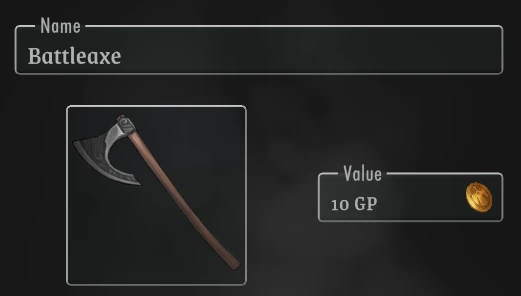 With this feature enabled, all items are assigned a Value field.
This can be used to Purchase items for currency, which the app will automate for the Player.
It will also enable a Player currency widget, which attempts to display all the player's wealth in the most suitable currency:
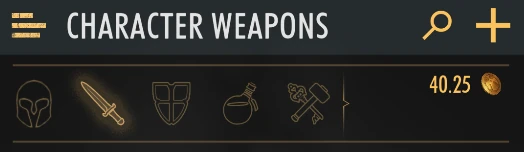
The way currency works in Rollplay is by using some "Currency" attribute to store the character's wealth.
This should always be the lowest, indivisible currency. (e.g. "Copper")
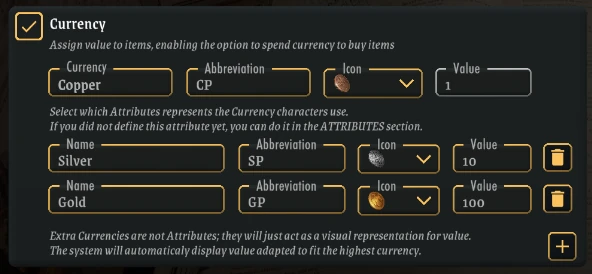
After selecting a base Currency for your game (with a value of 1), you can add extra Currencies on top of it.
These must be assigned a value, which is how much of the base currency the new one is worth.